

The Problem
Nothing is broken. Everything leaks.
A gym rarely fails at one big thing. It loses a little at every handoff, every day, until the numbers stop making sense.
Memberships expire quietly
Nobody notices a membership lapsed until the member stops showing up. By then they have already joined somewhere else, and the conversation you needed to have was two weeks ago.
The front desk becomes a queue
Finding a name in a notebook takes as long as it takes, and a queue forms behind whoever is being looked up. At peak hours that queue is the entire experience of your gym.
Your records live in three places
A notebook at the desk, a spreadsheet on somebody’s laptop, and a WhatsApp group. None of them agree with each other, and none of them survive that laptop being dropped.
What We Build
Four things, in the order they pay for themselves
-
Check-in that takes under two seconds
Members scan a printed QR card with an ordinary USB scanner. No app to install, no phone to find, no camera. The desk stops being a bottleneck.
-
Renewals chased before they lapse
GymFlow drafts the WhatsApp reminder before a membership expires. Your staff read it and send it. Nothing leaves in your gym’s name without a person deciding it should.
-
Enquiries that stop going cold
We build the layer that catches the Instagram DM, the walk-in and the web form in one place, and answers the first question while your staff are still on the floor.
-
Payments recorded against the member
Plans, payments and printed receipts attached to the person who paid, not written into a separate cash book that has to be reconciled by hand.
The Product
GymFlow keeps working when the internet stops
It is a desktop application, not a website. It runs on the gym’s own PC, holds your member records, tracks renewals and prints receipts — with no cloud account, no monthly outage risk, and automatic local backups. The data stays in the building.
- Works fully offline
- Automatic local backups
- No cloud account required
See It Running
Real screens from the app that is already shipping
Not a mockup and not a rendering. These are captures of GymFlow as it runs today on a gym’s front-desk PC.
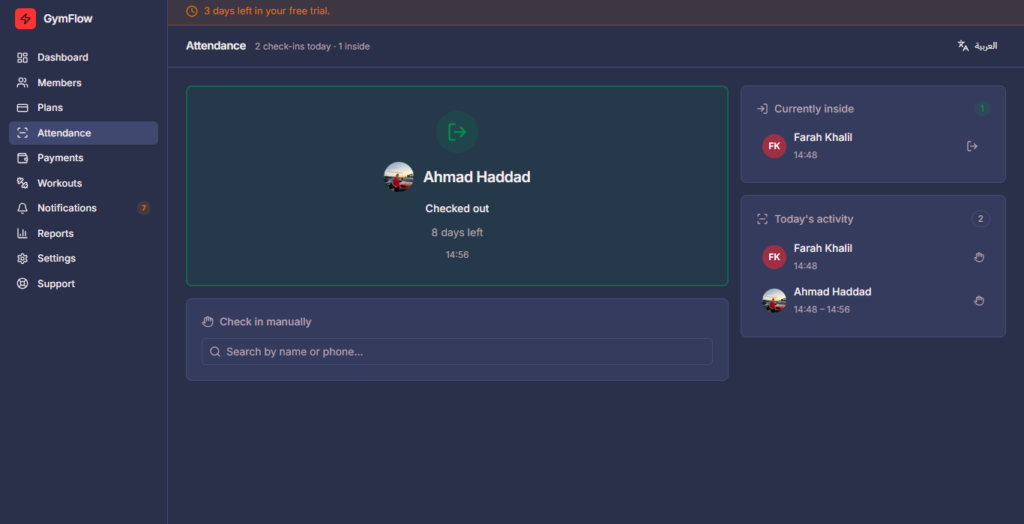
The front desk at six in the evening
A card is scanned, the member is on screen, and the queue keeps moving. Attendance is recorded as a side effect of letting somebody in — nobody has to remember to write it down.
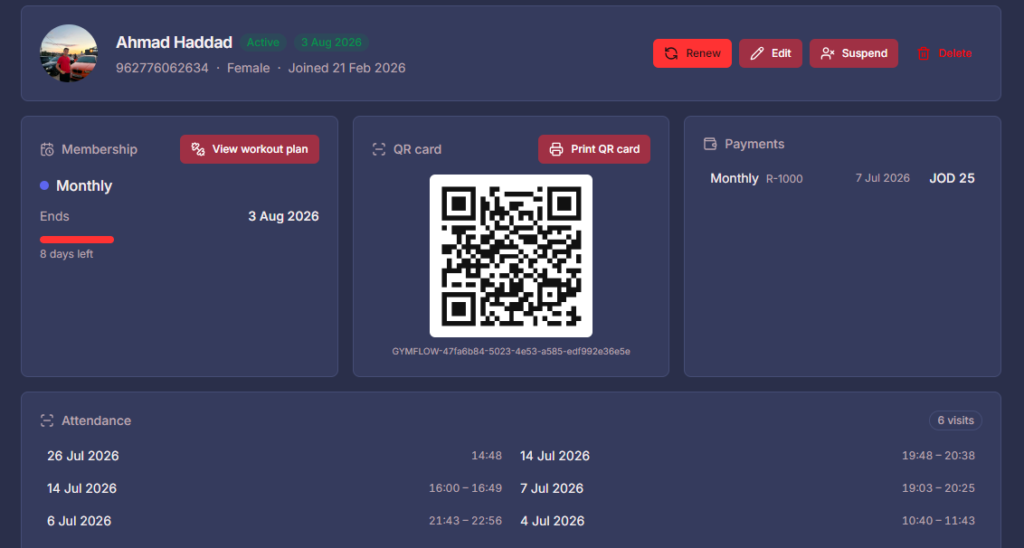
One member, one card, one record
Everything about a member on one screen: plan, expiry, payment history and the QR card you print for them. This is the screen that replaces the notebook page.
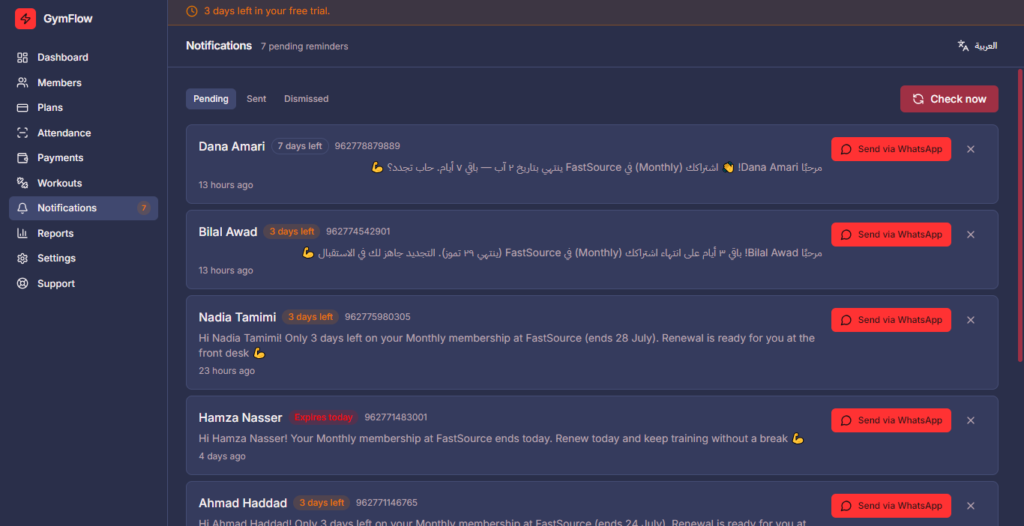
The reminder, drafted before it is late
GymFlow writes the renewal message and holds it. Your staff read it, change it if it needs changing, and send it. The reminder is automatic; sending it is not.
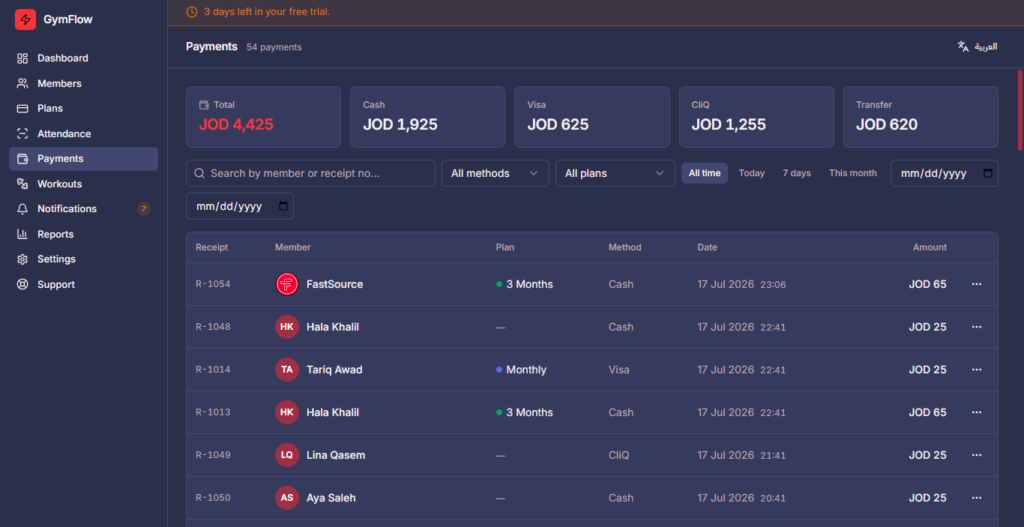
Money recorded where the member is
Payments and receipts attached to the person who paid. At the end of the month the totals come out of the same records the front desk was already using.
-
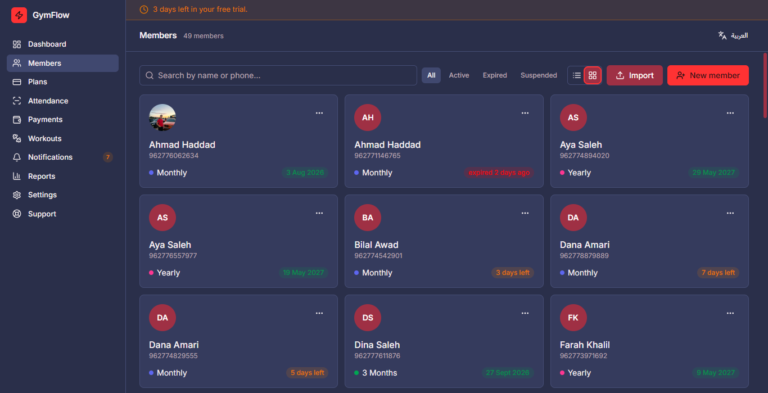
Members -
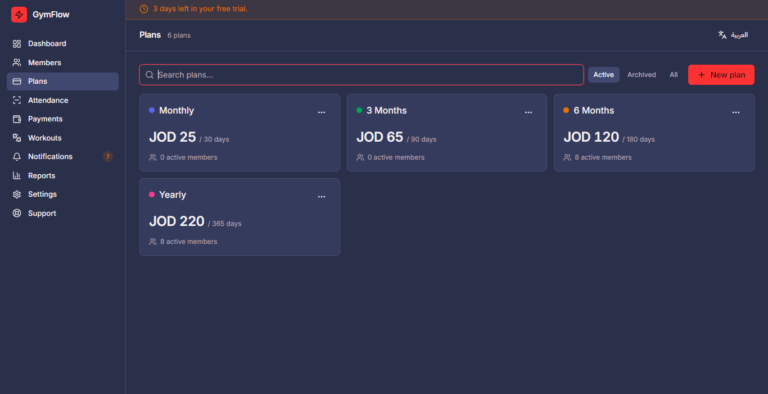
Plans -
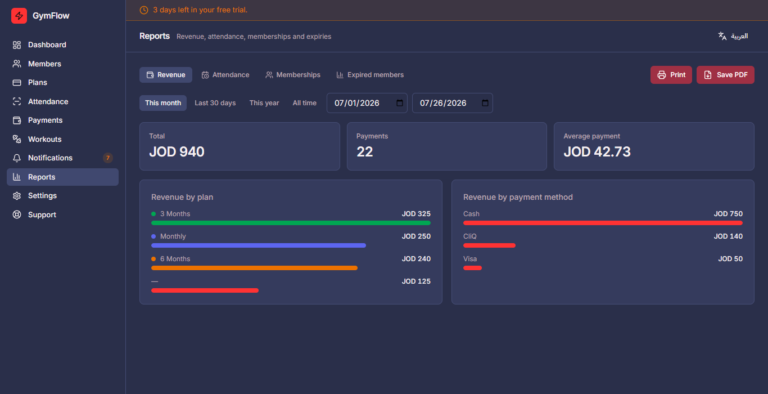
Reports
How It Goes
We start at your front desk, not in a meeting room
The same four steps every time, because the problems are always in the same place.
-
We stand at your desk during a busy hour
Watching what actually happens when six people arrive at once. It is a more useful hour than any discovery call.
-
We bring your members across
Notebook, spreadsheet, WhatsApp exports — whatever shape your records are in. Then we print the QR cards.
-
We train the people who will use it
The desk staff, on the machine they will actually be standing at. Not the owner, in an office, on a laptop.
-
We stay through the first renewal cycle
The month when everything awkward surfaces. You keep the system, the data and the documentation regardless.
What It Costs
It depends on the size of the mess
A single-room studio with sixty members and a chain with four branches are not the same job. What moves the number is how many records we are bringing across, and whether you want the AI layer on top of GymFlow or just GymFlow. The full price sheet below breaks it down by plan.
Straight Answers
The questions gym owners actually ask
What happens when the internet goes down?
Nothing. GymFlow is a desktop application, not a website — it runs on the gym’s own PC and does not need a connection to check a member in, take a payment or print a receipt. Backups are written locally.
Do my members have to install an app?
No. They get a printed card and scan it at the desk with an ordinary USB scanner. No app, no phone, no camera — which matters, because the members most likely to lapse are the least likely to install anything.
Will it message my members automatically?
No, and that is deliberate. GymFlow drafts the renewal reminder and waits. A person reviews it and sends it, so you are never surprised by a message that went out in your gym’s name.
My members are in a notebook. Can you move them?
Yes. Bringing your existing records across is part of setting you up, whatever shape they are in — paper, spreadsheet, or a mixture of both and a WhatsApp group.
Is it available in Arabic?
GymFlow has language and appearance settings built in.
TODO — confirm how complete the Arabic interface is before answering this publicly.
We need more than member management. Do you do that?
That is most of what we do. GymFlow handles the front desk; the rest — catching enquiries, answering the first question, connecting the systems you already pay for — is the layer we build on top.
Start Here
Come and watch your own front desk with us.
One hour, at your gym, during a busy period. We will tell you honestly whether this is worth doing — including when it is not.